 EN
EN
KANBAN VIEW
Your Markdown notes, organized as a board. No JIRA required.
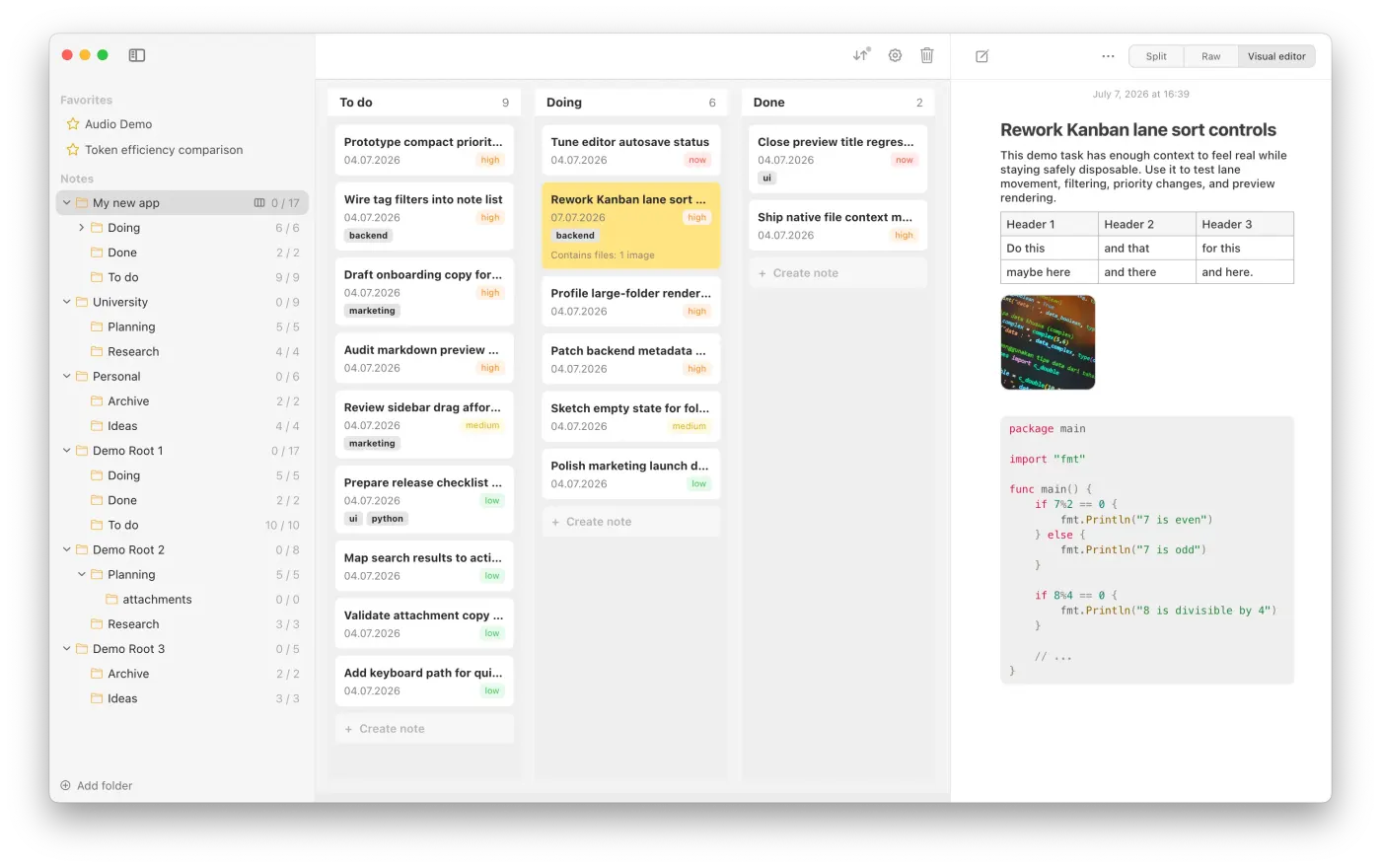
Turn an existing folder of notes into a visual Kanban-style board with vertical swimlanes. Every folder becomes a lane, every note is shown as a ticket (still just a plain Markdown file). You can drag & drop notes between lanes, and reorganize and move lanes, filter and sort lanes.
Early alpha · expect rough edges · Changelog & Roadmap · Old versions
HOW IT WORKS
A board that is still just your files.
There is no separate database to manage and no project setup to maintain. Just folders and .md files.
Tags, priorities and positions are saved inside the Notes Plus app, not in the Markdown files: your files stay untouched.
- Drag and drop tickets and lanes into the flow that fits your work.
- Filter, search, and sort notes without losing the simplicity of folders.
- Drag and drop images, audio or any other file into the notes.
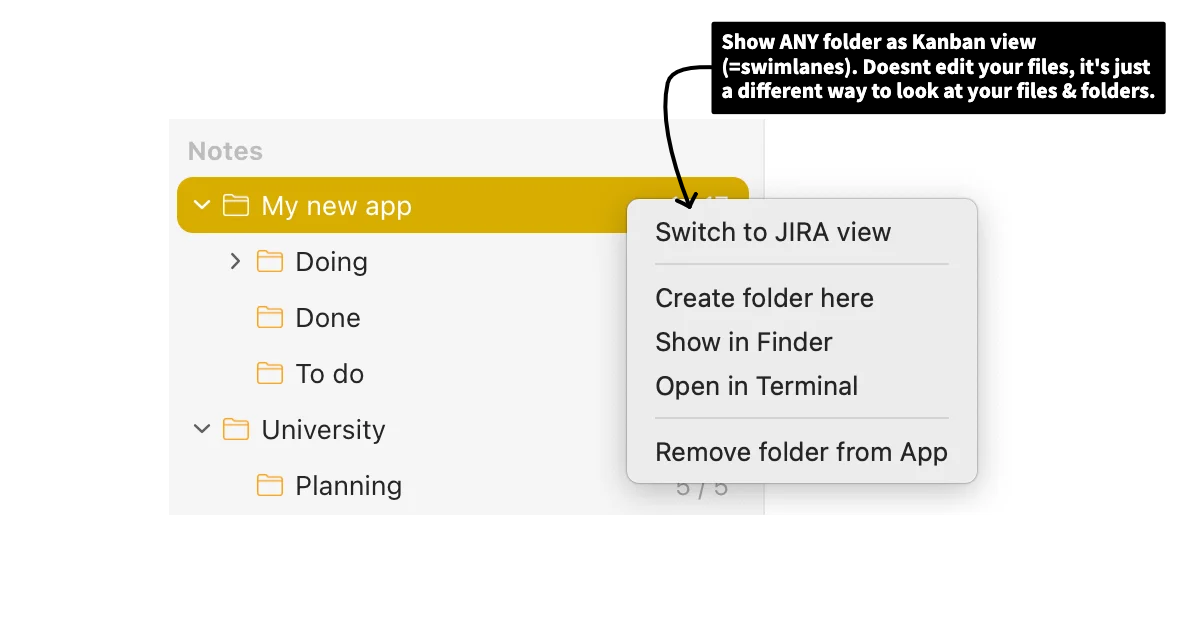
- Folders in "Kanban mode" have a little icon next to their folder name. Click the icon to switch back to normal view.
Who is this for?
- Solo developers and indie hackers who want a board without the overhead of JIRA
- Anyone who has tried JIRA and thought "this is too much for me alone"
- People who want their project data to be portable, readable, and future-proof
Who is this not for?
- People who need a full-feature project management tool. This tool is minimal, intentionally.
-
Teams. Notes Plus is currently local-only. Collaboration via Dropbox / iCloud / Google Drive however will arrive in late 2026.
If you want to get updates on this feature only, enter your email here: