
Back to homepage

FOOTNOTES & CITATIONS

Proper, valid and easy-to-read Markdown footnotes and citations.

Keep citations, definitions, and side notes connected to the sentence that needs them. Notes Plus renders references as clear markers and gathers the details neatly at the end of your note, all in valid Markdown.

Simple numbered footnotes

Add a numbered marker `[^1]` where a source belongs `[^1]:` (same number but with a colon in the end) in the end of the note to describe the source. The rendered view links the reference and keeps every source together below the content. These ` are backticks (or grave accents), the standard character in Markdown to start or end inline code-blocks. Find a tutorial here on where to find the backtick on your keyboard.

Did you see you can put a source inside another source, like in the screenshot below?
In this example, we used a short video of a statement of Allan Savory as source 1, and within the source footnote itself, we linked another source, the original full video (2: The documentary "Return to Eden") the short clip was taken from.
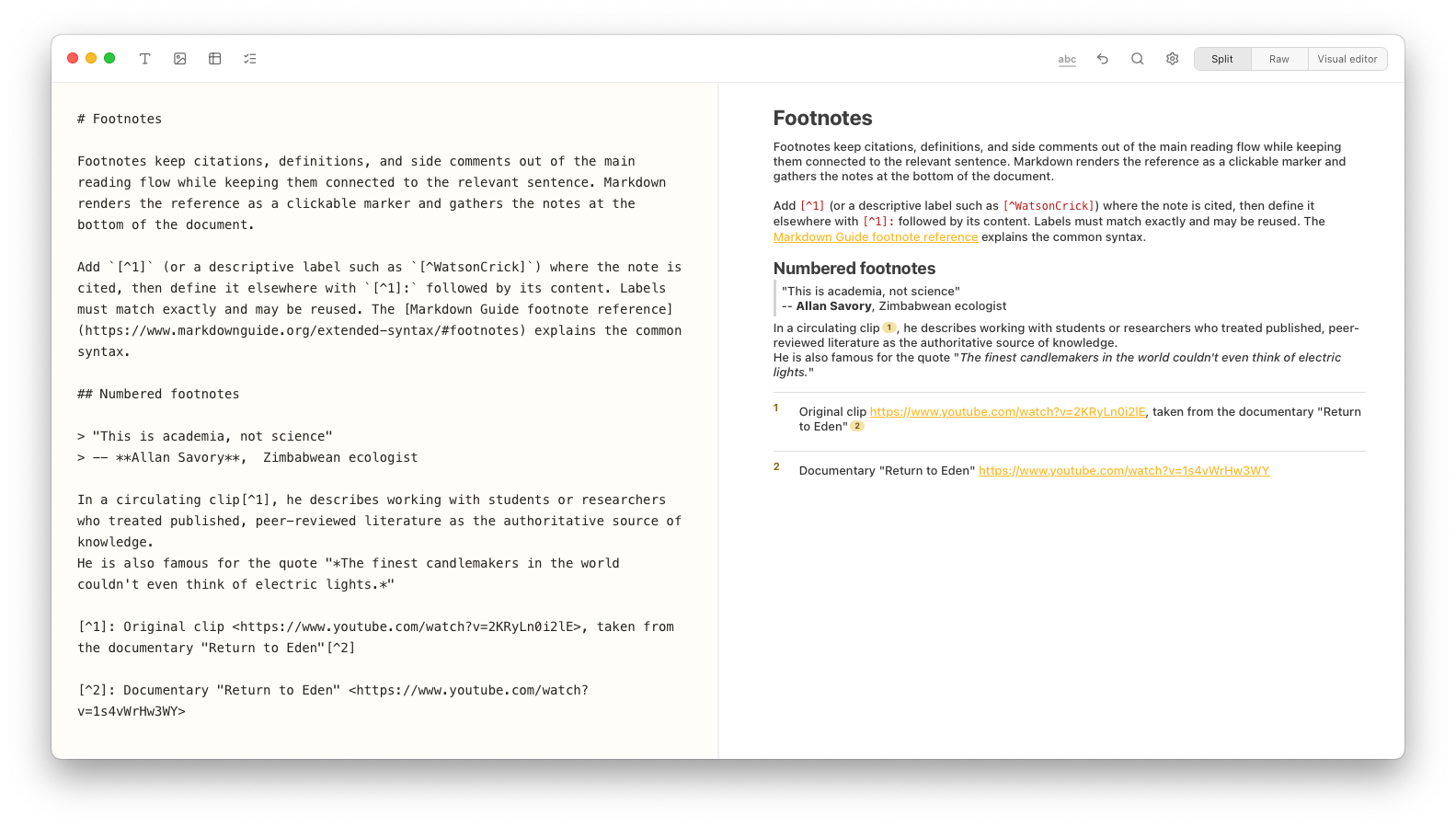
Notes Plus split view showing numbered Markdown footnotes on the left and the rendered note on the right.

Named, „speaking“ footnotes

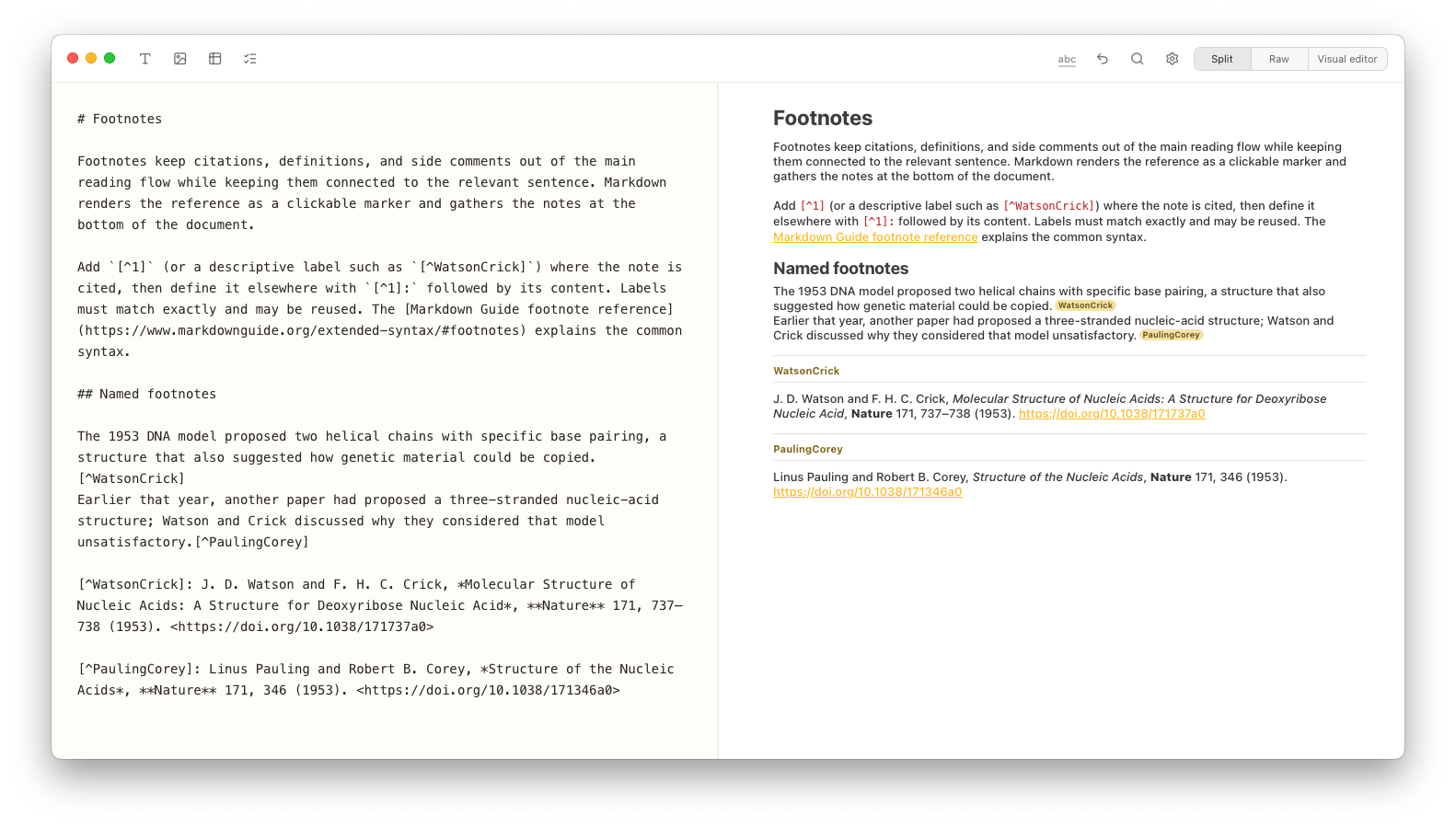
Named footnotes make the source clear at a glance and stay easy to find and reuse as your note grows — unlike numbered references, whose meaning depends on where they appear. Simply put a custom string like `[^WatsonCrick]` in the text, then `[^WatsonCrick]:` (same string but with a colon in the end) in the end of the note to describe the source.

Notes Plus split view showing named Markdown citations and their formatted academic references.