A simple Apple Notes alternative:
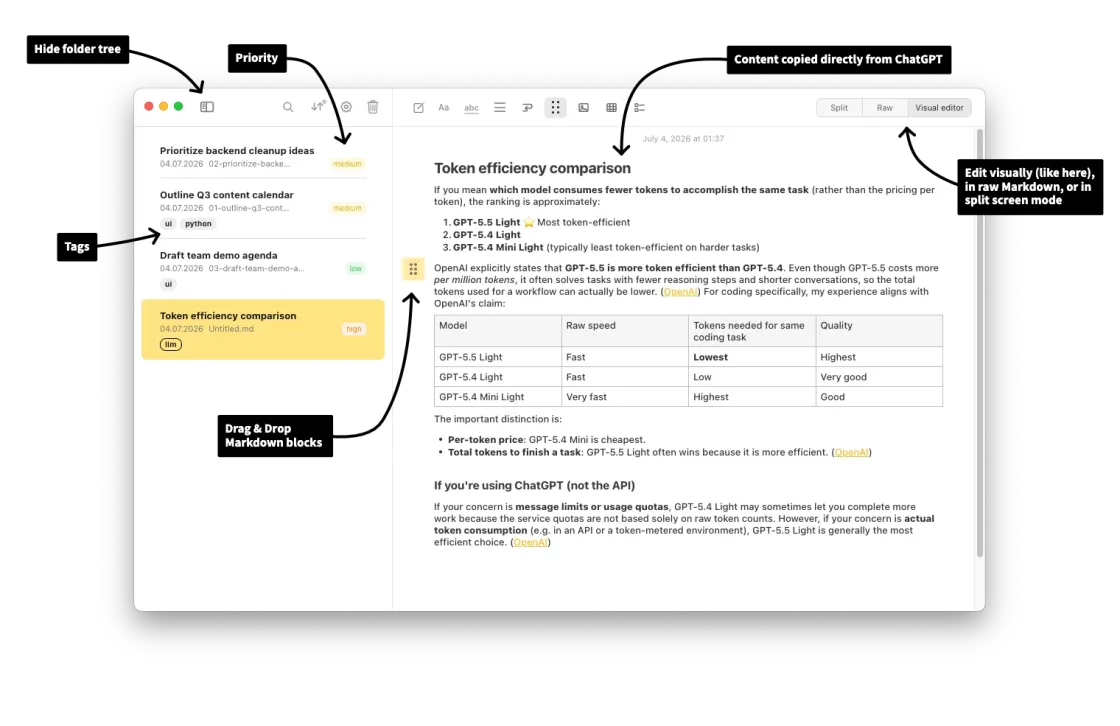
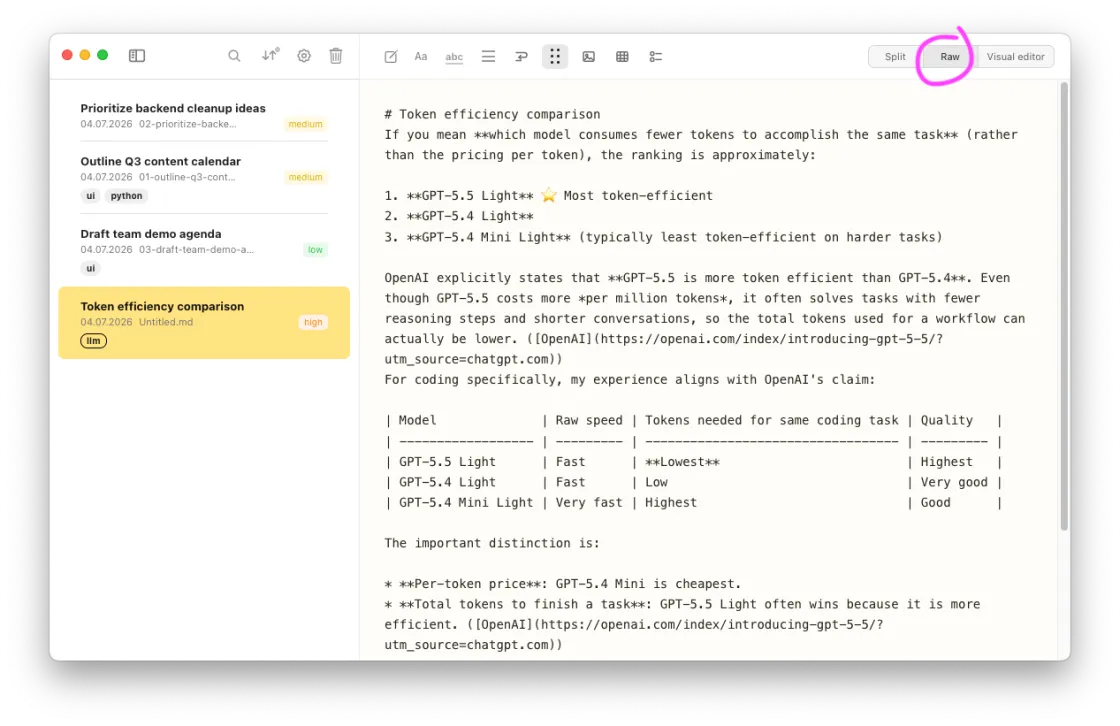
Raw Markdown, visual editor, or split-screen
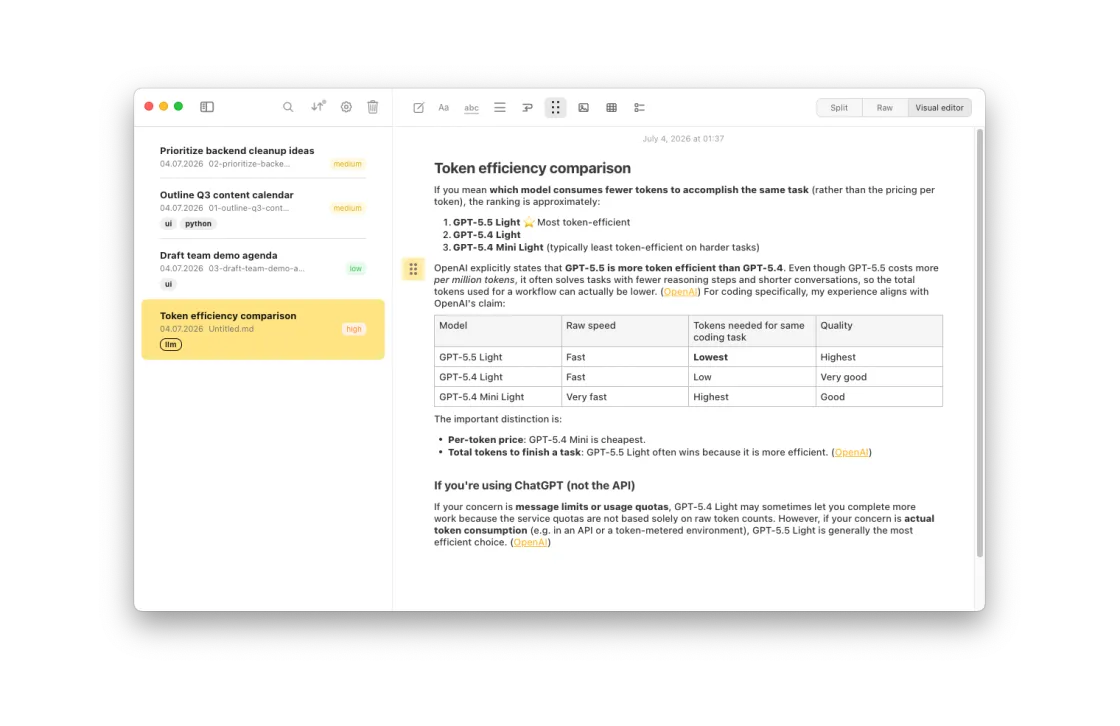
Write in a clean visual editor, switch to raw Markdown, or split the screen and see both at once.
- Visual editor — a WYSIWYG-style view that renders Markdown as you type
- Raw editor — plain Markdown text
- Split screen — editor on the left, live preview on the right
Drag & drop everything. Drop images, files, and audio directly into a note. They're saved alongside your Markdown file,
referenced with relative paths.
The screenshot below automatically cycles between annotated and clean views.
Shoutout to Markuphero for the cool screenshot annotations by the way!
Join the waitlist
Notes Plus will become available for download in August 2026.
Enter your email, and you will get a short notice on every new release.
Every email contains a one-click unsubscribe link.