 EN
EN
Complex PlantUML diagrams that stay easy to edit
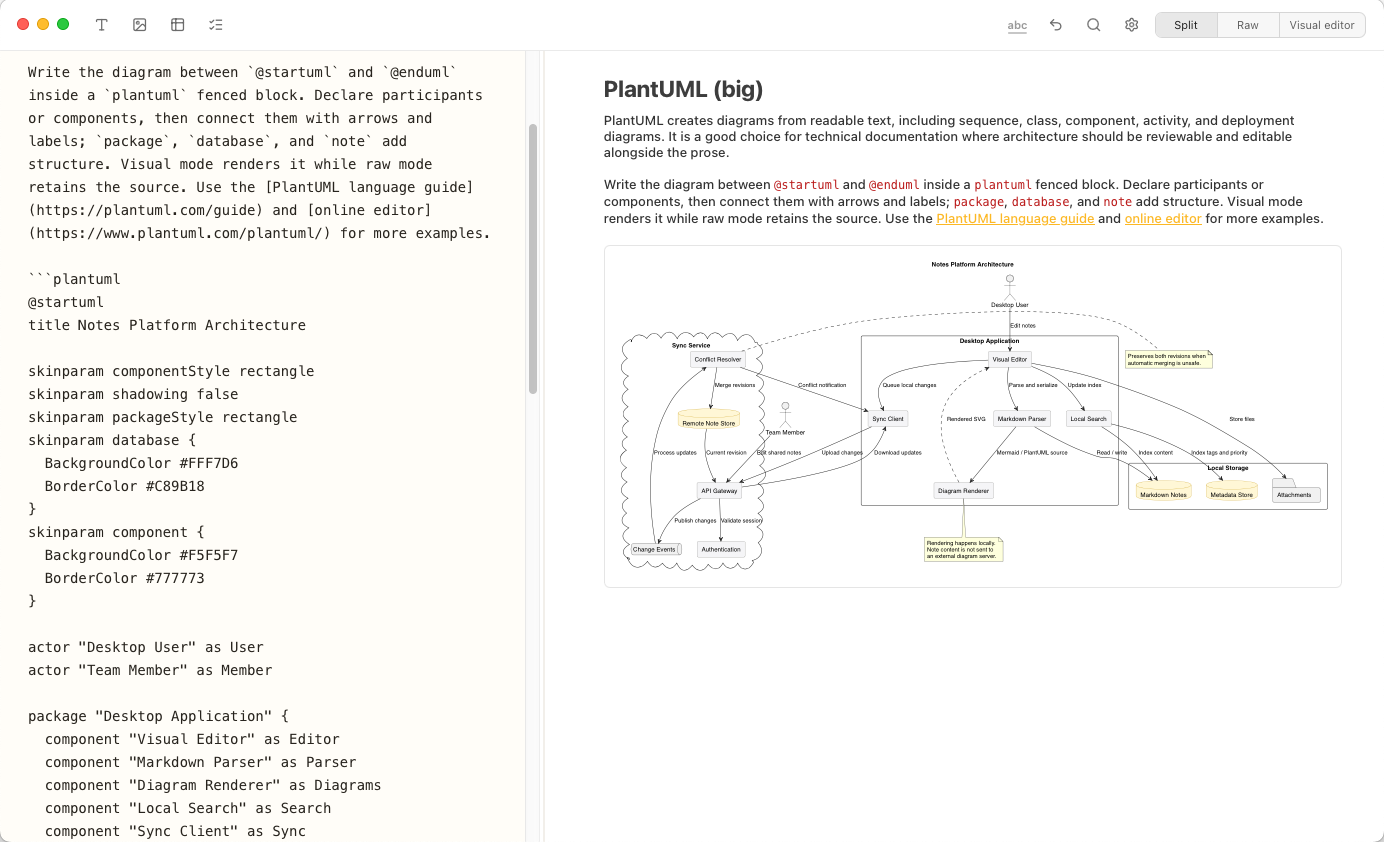
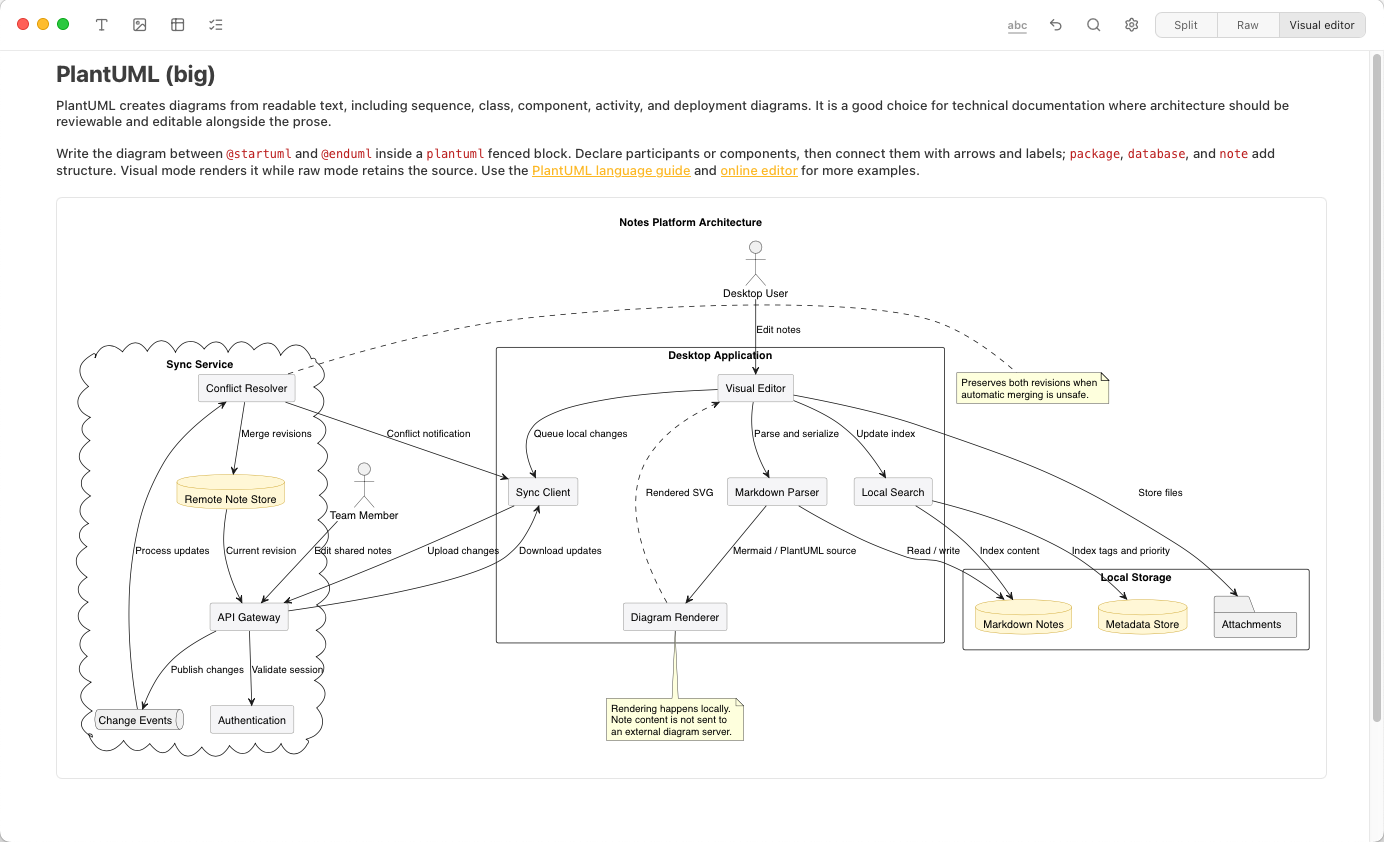
Copy & paste your PlantUML into a fenced Markdown block (meaning just ```plantuml) and Notes Plus renders the diagram right beside it. Document systems, workflows, and ideas with diagrams that remain portable, reviewable, and part of the note.
- Roadmap End of 2026: Create and edit PlantUML diagrams directly in the visual editor without touching code
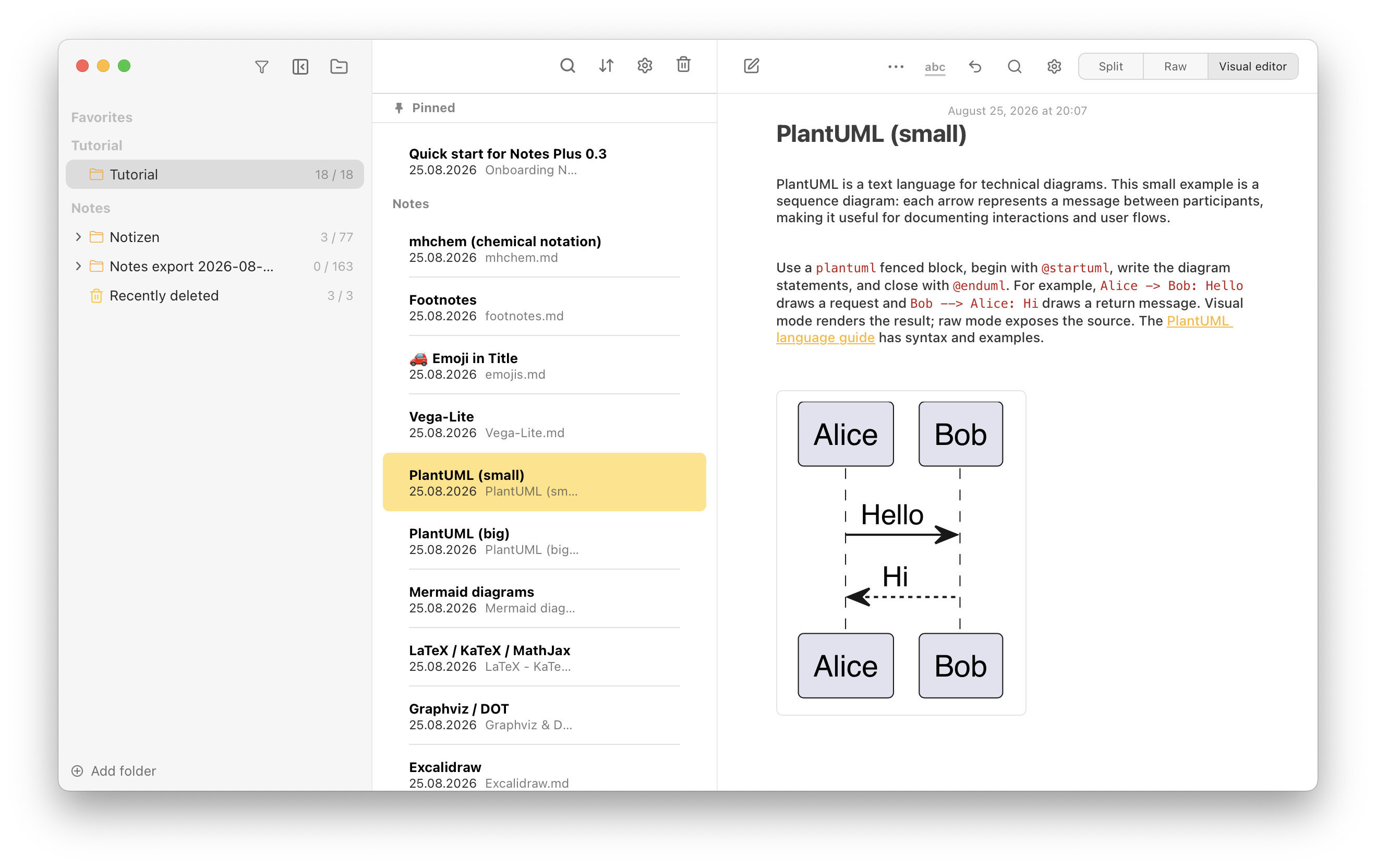
PlantUML is a text language for technical diagrams. This small example is a sequence diagram: each arrow represents a message between participants, making it useful for documenting interactions and user flows.
Use a plantuml fenced block, begin with @startuml, write the diagram statements, and close with @enduml. For example, Alice -> Bob: Hello draws a request and Bob --> Alice: Hi draws a return message. Visual mode renders the result; raw mode exposes the source. The PlantUML language guide has syntax and examples.